IQOS ILUMA Holder Not Heating or Not Charging? Fixes to Try First

On this page11 sections
- First Find Out Which ILUMA You Have
- ILUMA Holder Not Heating: 7 Checks in Order
- Holder Not Charging? 5 Fixes That Work
- What the Blinking White and Red Lights Mean
- How to Reset Your IQOS ILUMA (Step by Step)
- Dubai Heat and Dust: Why Your Device Acts Up
- Warranty and Support in the UAE
- Fix It, Claim It or Replace It?
- How to Stop It Happening Again
- Frequently Asked Questions
- Final Thoughts
IQOS ILUMA not heating? Check three things first: use a fresh, unused TEREA stick pushed in straight, charge the holder until a solid white light shows, and let a hot or cold device reach room temperature. If it still fails, reset it using the steps further down.
Most ILUMA problems are small. A used stick, a flat battery, dust on the contacts, or a very hot day causes far more trouble than a broken device. This guide walks you through each fix in order, from the quickest to the last resort, so you do not waste time or money.
First Find Out Which ILUMA You Have
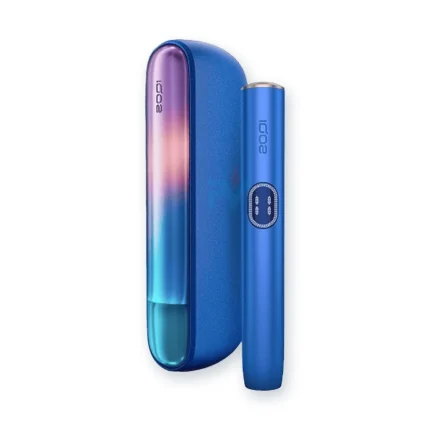
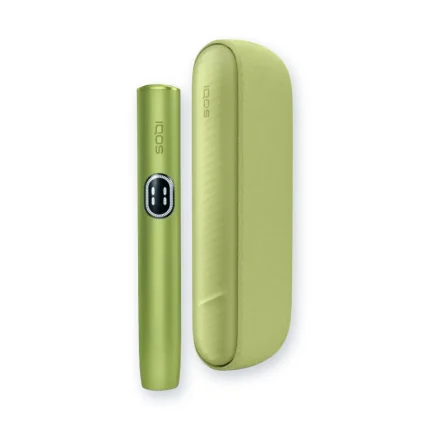
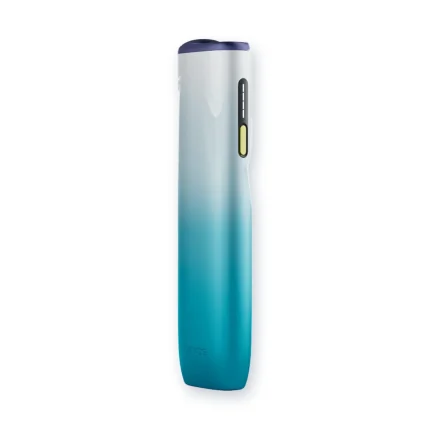
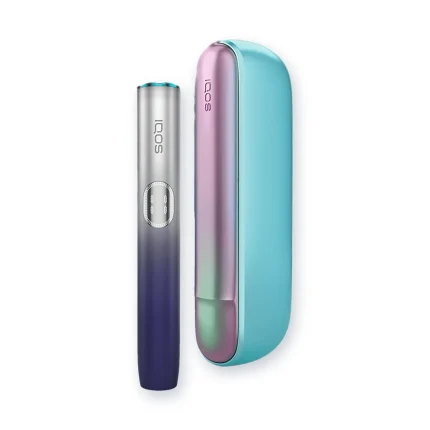
The fixes below work for the whole ILUMA family, but a few steps change depending on your model. Take ten seconds to check which one is in your hand.
| Your device | How it is built | How you wake it |
|---|---|---|
| IQOS ILUMA and ILUMA Prime | Holder plus a separate Pocket Charger | Press the button |
| IQOS ILUMA i Standard and ILUMA i Prime | Holder plus a separate Pocket Charger | Swipe up on the touch screen |
| IQOS ILUMA One | Holder and charger in one body | Tap the button |
| IQOS ILUMA i One | Holder and charger in one body | Short-press the button |
Not sure which series you own, or wondering what changed between the two? Our comparison of the IQOS ILUMA and ILUMA i for TEREA users shows the differences side by side.
ILUMA Holder Not Heating: 7 Checks in Order
Work through these one at a time. Stop as soon as your device starts heating.
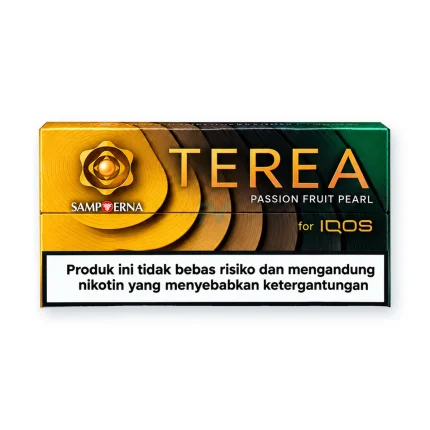
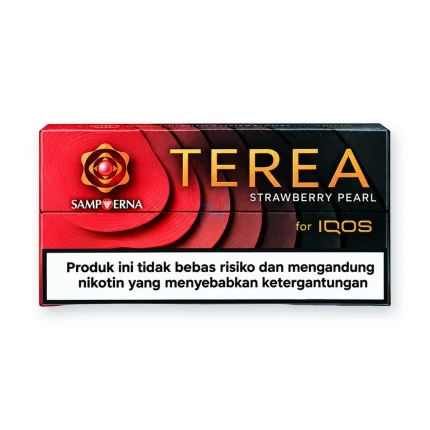
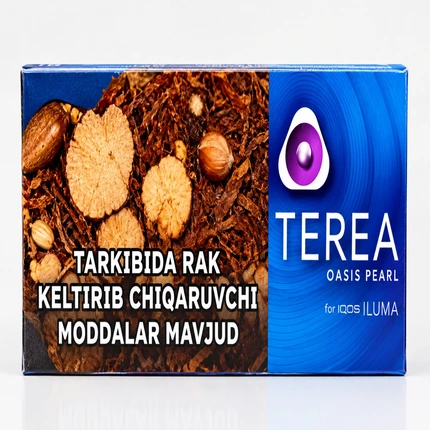
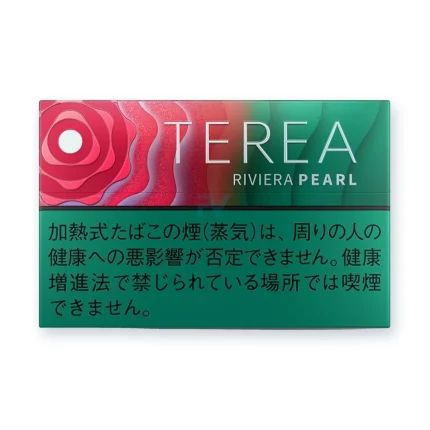
- Swap in a fresh TEREA stick: A used stick will not heat, and HEETS sticks do not work in an ILUMA at all. Take a new stick from a sealed pack.
What you should see: the holder starts heating and vibrates when it is ready. - Push the stick in straight and all the way: Do not twist it or force it. If it feels loose or stuck, try a different stick. One bad stick happens now and then, and it rarely means the device is faulty.
- Check the battery: On two-piece models, put the holder in its charger until at least one solid white light shows. On an ILUMA i with a touch screen, the number 0 flashing three times means the holder is empty. On all-in-one models, press the button to see the charge level.
- Check for device lock (ILUMA i One): If the top and bottom lights flash white when you press the button to start, your device is locked, not broken. Open the IQOS app, select your ILUMA i One, and turn off Lock device in the device settings. If it will not unlock, visit an IQOS store.
- Check the temperature: A device that is too hot or too cold will not work. The ILUMA and ILUMA Prime show three white blinks on the holder. The ILUMA One and ILUMA i One show two white blinks, then the lights switch off. Warm a cold device in your hands. Let a hot one cool down in a shaded, room-temperature spot. The table below lists the safe range for each model.
- Look for crumbs: If a stick broke earlier, turn the device off and let it cool. Gently remove any loose paper or tobacco with a wooden toothpick. Never use metal.
Note: Still nothing? Move on to the reset steps below.
Many heating complaints start with small habits, like reusing a stick or pushing it in at an angle. Our guide to common ILUMA mistakes that waste TEREA sticks covers the rest, and it will save you money on sticks too.
Holder Not Charging? 5 Fixes That Work
Charging trouble usually comes from the power source, not the battery. Try these in order. If you own an ILUMA One or ILUMA i One, there is no charger case, so jump to the all in one steps right after this list.
- Use a wall outlet with an approved adapter and the original cable. Avoid laptop USB ports, car chargers and weak power banks. They often give too little power. The adapter for the ILUMA i One is sold separately, so check that yours is compatible.
- Give a flat battery time. If the Pocket Charger is completely empty, wait up to 20 minutes before any charging light appears. This is normal, so do not give up too soon. A full charge of the Pocket Charger takes about 2 hours 15 minutes.
- Wipe the contacts (two piece models). Use a soft, dry cloth on the metal contacts of the holder and inside the Pocket Charger. Use no liquid.
What you should see: pulsing white lights once the holder starts to charge. - Clear the USB C port. Blow gently into the port to remove dust. Do not poke it with a pin or needle.
- Put the holder back firmly (two piece models). Take it out, then place it back until it sits fully in position. On models with a door, close it all the way.
All-in-One Models: ILUMA One and ILUMA i One Not Charging
With no charger case, the fix comes down to clean ports and the right power source.
- Unplug the device and dry the ports. Make sure the charging port on the device and on the cable are clean and dry. Blow gently to clear dust.
- Charge with a compatible adapter and cable. A full charge on the ILUMA i One takes about 90 minutes. After a fully flat battery, the lights may take a few seconds to appear.
What you should see: four solid white lights, which then turn off when the device is full. - Lights on but still not charging? Reset the device using the steps in the reset section below.
One more tip: if you charge the holder and the Pocket Charger together, use an approved adapter and the original cable for the Pocket Charger. A cheap adapter can slow everything down. For regular care that prevents these problems, read our guide on how to clean and maintain your IQOS ILUMA holder.
What the Blinking White and Red Lights Mean
The lights tell you what is wrong, if you know how to read them. Patterns change by model, so the second column shows which devices each one applies to.
| What you see | Models | What it means | What to do |
|---|---|---|---|
| No lights | All models | Device is off or the battery is empty | Charge it, and wait up to 20 minutes on two piece models if it was fully flat |
| 3 white blinks on the holder | ILUMA and ILUMA Prime | Too hot or too cold (safe range 0 to 50°C) | Let it reach room temperature |
| 2 white blinks, then the lights switch off | ILUMA One and ILUMA i One | Too hot or too cold (safe range 0 to 40°C) | Let it reach room temperature |
| 8 white blinks | ILUMA and ILUMA Prime | Only one session left | Charge it soon |
| Yellow light | Most models | Battery is empty or no sessions are left | Charge it |
| Red light | Most models | A fault, or an update that did not finish | Reset it, then update in the IQOS app |
| Top and bottom lights flash white on a short press | ILUMA i One | Device lock is on | Turn off Lock device in the IQOS app |
| Number 0 flashing 3 times | ILUMA i and ILUMA i Prime (touch screen) | Holder is empty | Seat it in the Pocket Charger until a light stays solid white |
Your model not listed, or your lights look different? Follow the guide in the box. As a safe habit, keep any ILUMA below 40°C.
How to Reset Your IQOS ILUMA (Step by Step)
A reset clears small software glitches. It takes about a minute. The button and the hold time depend on your model, so pick yours below.
Two Piece Models: ILUMA, ILUMA Prime, ILUMA i and ILUMA i Prime
- Place the holder inside the Pocket Charger. Make sure it sits fully in position.
- Press and hold the Pocket Charger’s ON/OFF button for 10 seconds. Keep holding until all the lights dim out.
- Release the button. The lights will blink white briefly and fade back in.
What you should see: that white blink means the reset worked. - Charge for about 20 minutes, then try a fresh TEREA stick.
ILUMA i One
- Press and hold the ON/OFF button on the device for 10 seconds. Do not let go early.
- Watch the lights. They fade in, blink twice fast, then ramp up.
What you should see: the lights then show your current charge level. That confirms the reset.
ILUMA One
- Press the button for 7 seconds, then let go.
- Watch the lights. They all switch off, blink twice, and turn back on. That confirms the reset.
If your user guide shows a different hold time for your model, follow the guide in your box.
If the red light comes back after the reset, check for an update in the IQOS app. Keep the device charged while it updates, and do not unplug it halfway.
Dubai Heat and Dust: Why Your Device Acts Up
Every ILUMA has a safe working range. It is 0 to 50°C on the ILUMA and ILUMA Prime, and 0 to 40°C on the ILUMA One and ILUMA i One. If you are not sure about your model, stay under 40°C. Summer in Dubai, Sharjah and Ajman can push a device past that without you noticing. A few habits help a lot:
- Never leave it in a parked car. The inside of a car gets far hotter than the air outside.
- Keep it out of direct sun on balconies, beaches and dashboards.
- Let it cool before you charge it. A device outside its safe range may not charge until it settles.
- Watch for dust. Sandy, windy days fill the USB C port and the contacts quickly. A quick blow and a dry wipe keep them clear.
- Store TEREA packs sensibly. Keep them away from very humid or very dry spots. Bad storage can hurt the vapor and the taste.
Warranty and Support in the UAE
If the quick fixes do not work, you may be covered. Here is how it works for devices bought in the UAE:
- Every device comes with a 1 year warranty. You do not need to activate it.
- Registering your device within 30 days of purchase adds a second year on ILUMA, ILUMA i, ILUMA i One and ILUMA i Prime. ILUMA One and ILUMA Prime list the standard 1 year.
- ILUMA i Prime owners who register also get one accidental damage replacement.
- Not covered: battery wear over time, liquid damage, misuse, non genuine parts, and loss or theft.
- Warranty applies in the country where you bought the device, so keep your receipt and serial number.
Fix It, Claim It or Replace It?
Not every problem deserves a repair. Use this table to decide fast.
| Your situation | Best move |
|---|---|
| It works again after charging or a reset | Keep using it and follow the prevention tips below |
| Sessions get shorter and shorter over a long time | This is normal battery wear, so plan a replacement |
| Red light returns after a reset, or nothing charges after the wait times above, even with a good cable and adapter | Make a warranty claim |
| Out of warranty, dropped or water damaged | Upgrade to a new device |
If you are leaning toward a new device, our guide on whether new ILUMA i devices are worth the upgrade in the UAE helps you decide. You can also look at the ILUMA i Standard or the compact ILUMA i One. We deliver in 1 to 2 hours across Dubai, Sharjah and Ajman.
How to Stop It Happening Again
- Use a fresh TEREA stick origin including TEREA Kazakhstan, TEREA Uzbekistan, TEREA Japan, TEREA Indonesia, every session, and never reuse one.
- Always charge with an approved adapter and the original cable.
- Wipe the contacts with a dry cloth every week or two.
- Keep the device in a cool, shaded spot, never in a hot car.
- Keep the firmware current through the IQOS app.
- Register your device within 30 days to unlock the extra warranty year.
Frequently Asked Questions
Why is my IQOS ILUMA holder not heating?
The most common causes are a used or badly inserted TEREA stick, a low battery, or a device that is too hot or too cold. Try a fresh stick first, then charge the holder, then check the temperature.
Why won’t my IQOS ILUMA charge?
Dust on the contacts, a weak power source or a wrong adapter are the usual reasons. Use a wall outlet with an approved adapter and the original cable, wipe the contacts, and clear the USB C port. On all in one models, clean and dry the ports instead.
How do I reset my IQOS ILUMA?
On the ILUMA, ILUMA Prime, ILUMA i and ILUMA i Prime, put the holder in the Pocket Charger and hold its ON/OFF button for 10 seconds. On the ILUMA i One, hold the ON/OFF button on the device for 10 seconds. On the older ILUMA One, hold the button for 7 seconds. Blinking lights confirm the reset.
What do the white blinks mean on an ILUMA?
The device is too hot or too cold. The ILUMA and ILUMA Prime show three blinks, and the ILUMA One and ILUMA i One show two. Let it reach room temperature and try again.
Why is my ILUMA blinking red?
A red light means a fault, or an update that did not finish. Reset the device first. If the light returns, update it through the IQOS app.
How long should I wait for lights on a flat battery?
On two piece models, wait up to 20 minutes. A fully empty Pocket Charger takes a while before any charging light appears, and that is normal. On the ILUMA i One, the lights may take just a few seconds.
Why do the top and bottom lights flash white on my ILUMA i One?
Device lock is on. Open the IQOS app, select your ILUMA i One, and turn off Lock device in the device settings. If it will not unlock, visit an IQOS store.
Can I use HEETS in an ILUMA?
No. ILUMA only works with TEREA sticks. Using the wrong sticks can damage the device.
Does Dubai heat damage my device?
It can. Each model has a safe working range, and a parked car or direct sun can push a device past it. Move it somewhere cool before you use or charge it.
Does the warranty cover a battery that fades with age?
No. Battery wear over time is not treated as a fault. Faults from manufacturing are covered, as long as you used the device as the guide describes.
How do I make a warranty claim in the UAE?
Contact IQOS customer service, daily from 9am to 7pm, or visit the IQOS Boutique at The Dubai Mall. Keep your receipt and serial number, and register your device to make things quicker.
Which ILUMA i should I buy if mine is beyond repair?
Pick by how you use it. The ILUMA i One is a compact all in one device. The ILUMA i Standard and ILUMA i Prime are two piece sets, and registered ILUMA i Prime owners also get one accidental damage replacement.
How can I tell my device is genuine?
Buy from a trusted seller, keep your receipt, and register the serial number. A registered device is easier to support and easier to claim on if something goes wrong.
Final Thoughts
Most ILUMA problems have a simple fix. Start with a fresh stick, a charged device and room temperature. Wipe the contacts, clear the port, and try the reset for your model. If a red light keeps coming back or nothing charges, use your warranty. And if the device is simply worn out, a new one is a smarter buy than another repair.
Need a new ILUMA, genuine TEREA sticks or help choosing the right model? Visit Juul Dubai and we will deliver to you in 1 to 2 hours across Dubai, Sharjah and Ajman.