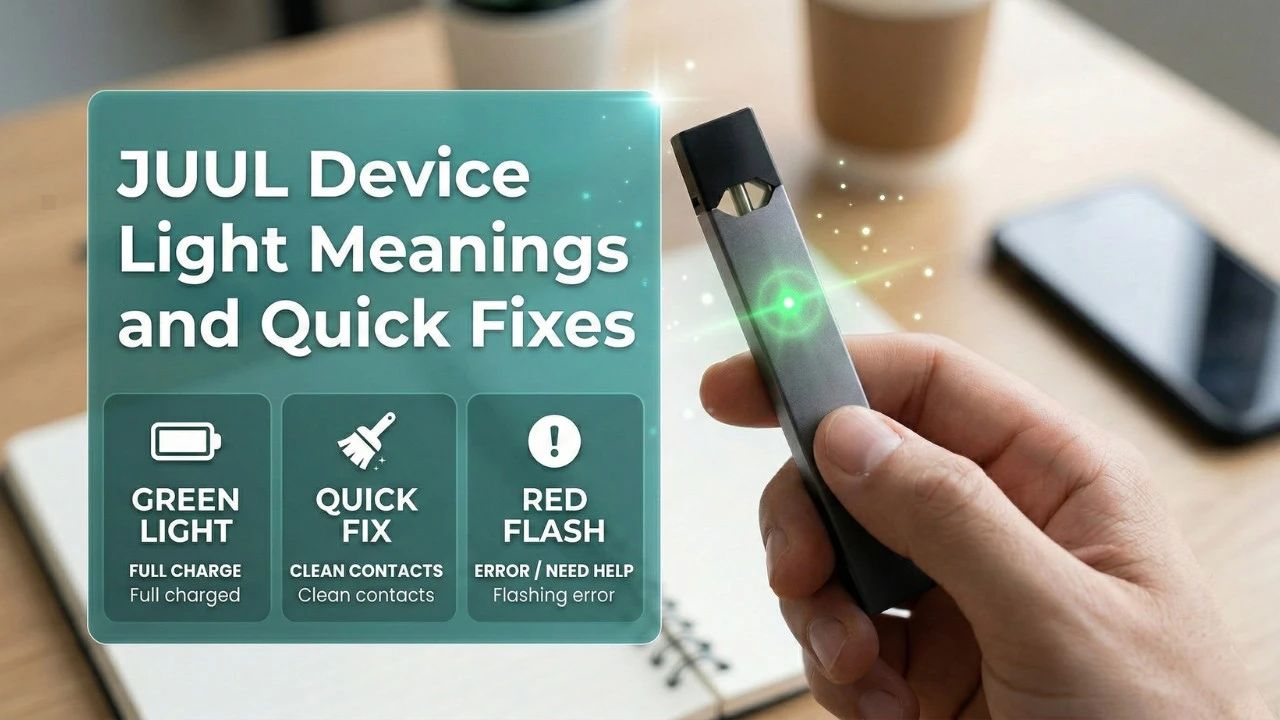
JUUL Device Light Meanings and Quick Fixes (JUUL 2 & Original)

On this page14 sections
- What Do JUUL Lights Mean?
- JUUL 2 Device Light Matrix Meanings
- Original JUUL Device Light Meanings
- JUUL Charging Light Meanings
- JUUL 2 vs Original JUUL Device Comparison
- JUUL Blinking Light Problems and Quick Fixes
- JUUL Device Troubleshooting Checklist
- How to Prevent JUUL Light Errors
- When Your JUUL Device May Be Defective
- JUUL Light Turns On but Device Feels Weak
- JUUL Light Not Turning On at All
- Step-by-Step Troubleshooting Guide
- Frequently Asked Questions
- Final Thoughts
JUUL devices communicate important information through a small LED light on the device body. If you have ever noticed your JUUL blinking, flashing, or showing a specific color, the device is trying to tell you something.
Many users get confused when the light changes unexpectedly. A blinking white light, a red light, or a charging indicator may appear without a clear explanation. In most cases, these signals are simple status notifications rather than serious device problems.
Understanding what each JUUL light means can help you quickly diagnose issues such as low battery, charging problems, or pod connection errors.
This complete guide explains:
- What JUUL LED lights mean
- The differences between JUUL 2 and the original JUUL
- Why your JUUL might be blinking
- Quick fixes to restore normal device operation
By the end of this guide, you will be able to identify JUUL light signals and troubleshoot common issues without confusion.
What Do JUUL Lights Mean?
JUUL devices use a small LED indicator to communicate the current status of the device. Because JUUL products are designed with a minimalist interface and do not include a screen or control buttons, the LED light becomes the main way the device provides feedback to the user.
Whenever the device is used, charged, or encounters a problem, the LED light will display a specific color or blinking pattern. Understanding these signals can help you quickly determine whether your device is functioning normally or if something needs attention.
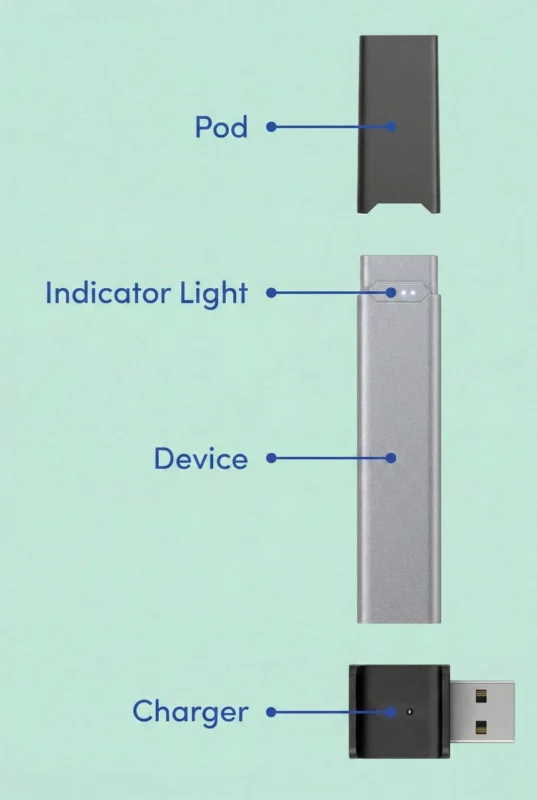
In most cases, JUUL lights communicate four key types of information.
Battery Level
One of the primary functions of the LED indicator is to show the remaining battery level. Different colors represent different charge levels. For example, green typically indicates a high battery level, yellow or amber suggests a medium charge, and red signals that the battery is running low and should be charged soon.
Monitoring these lights helps prevent the device from unexpectedly running out of power during use.
Device Activity
When you inhale from the device, the LED usually turns white. This white light indicates that the device is actively heating the pod and producing vapor. It confirms that the battery, heating element, and pod connection are working together correctly.
If the white light appears but vapor is not produced, it may indicate a pod connection issue or a faulty pod.
Charging Status
The LED light also shows the charging progress when the device is connected to its magnetic charger. During charging, the light may pulse or glow to indicate that power is flowing to the battery. Once charging is complete, the light typically changes color or becomes solid to confirm the battery is fully charged.
These indicators help users know when the device is ready to use again.
Error Messages and Device Warnings
In some situations, the LED may blink or flash repeatedly. These patterns usually indicate a device warning or connection problem. For example, blinking lights may occur when the pod is not properly inserted, when the contacts are dirty, or when the device cannot detect the pod.
Occasionally, blinking lights may also signal charging issues or internal device errors. In many cases, simply removing the pod, cleaning the contacts, or reconnecting the charger can resolve the problem.
JUUL 2 Battery Draining Quickly? Common Causes and Fixes
Note: Both JUUL 2 and the original JUUL use similar concepts, although the exact behavior may differ slightly between device versions.
JUUL 2 Device Light Matrix Meanings
Unlike the single LED dot on the original device, the JUUL 2 device features an upgraded 4-light indicator strip matrix. When you tap the device or take a puff, the number of bars that light up indicates your precise battery capacity:
- 4 White Lights: 75% to 100% Battery Capacity.
- 3 White Lights: 50% to 75% Battery Capacity.
- 2 White Lights: 25% to 50% Battery Capacity.
- 1 Solid Red Light: Less than 25% battery remaining. Plug into the charger immediately.
JUUL 2 Smart Security Error Codes
Because the JUUL 2 platform features microchip pod-verification technology, the light matrix will flash specific colors if an unsupported cartridge is used:
- Chasing Purple Lights: Pod Model Mismatch. This occurs if you attempt to force a legacy first-generation JUUL pod into the JUUL 2 housing. The device will not fire.
- Alternating Flashing Blue Lights: Pod Authentication Failure. The device detects a counterfeit pod, a third-party clone, or a non-authentic cartridge and has locked the power supply for safety.
- Flashing White Light Sequence: Occurs immediately upon cartridge insertion to verify that the internal microchip has successfully authenticated the pod as genuine.
- Flashing Purple Light Sequence: Follows right after the white authentication light. The number of purple bars indicates how much e-liquid remains inside the pod matrix.
Related Guide: Evaluating your options for a daily work trip? Read our hands-on comparison of the JUUL 2 vs. IQOS ILUMA i One: Which Portable Device Wins for UAE Commuters?
Original JUUL Device Light Meanings
The original JUUL device uses a slightly different LED system.
Instead of automatic signals, users can tap the device to display the battery level.
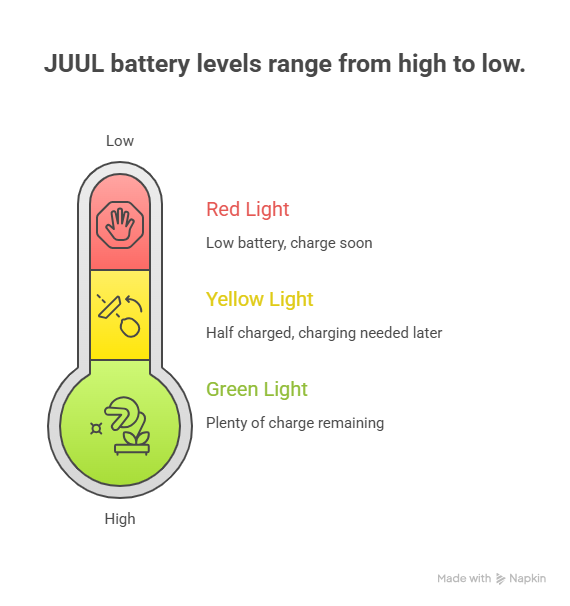
The LED color then indicates how much battery remains.
Green Light
- A green light indicates that the battery level is high.
- The device has plenty of charge remaining and should continue working normally.
Yellow Light
- A yellow light indicates that the battery is about half charged.
- The device will still work, but charging may be needed later in the day.
Red Light
- A red light indicates a low battery level.
- Once the device reaches this level, charging should happen soon to avoid interruption during use.
White Light During Use
- Just like JUUL 2, the original JUUL shows a white LED while the device is heating during a puff.
- This indicates normal operation.
JUUL Charging Light Meanings
When your JUUL device is connected to a charger, the LED light provides information about charging progress.
Understanding these signals can help you confirm whether the device is charging correctly.
Pulsing White Light
- A pulsing white light often means the device is currently charging.
- This indicates that the battery is receiving power and charging normally.
Solid Green Light
- A solid green light usually means the device is fully charged.
- Once the device reaches this stage, it can be removed from the charger and used normally.
Blinking Light While Charging
If the device blinks repeatedly while charging, the issue may involve a charging problem.
Possible causes include:
- Dirty charging contacts
- Damaged charging cable
- Faulty USB port
- Battery failure
Cleaning the contacts and trying a different USB power source often resolves this issue.
JUUL Flavor Future Explained: Can Cool Mint and Mango Come Back?
JUUL 2 vs Original JUUL Device Comparison
| Feature | JUUL 2 | Original JUUL |
| Device Generation | Newer generation JUUL device | First generation JUUL device |
| Pod Compatibility | Uses JUUL 2 pods only | Uses original JUUL pods |
| Cross Compatibility | Not compatible with original JUUL pods | Not compatible with JUUL 2 pods |
| Pod Authentication | Includes pod authentication technology | No pod authentication system |
| LED Indicator Behavior | Advanced 4-Light Matrix strip (Shows precise battery quarters and security codes automatically) | Single LED pinhole dot (Requires tapping the device shell to check battery state) | Single LED pinhole dot (Requires tapping the device shell to check battery state) |
| Battery Level Indicators | LED signals during charging and use | Green, yellow, red battery indicator when tapped |
| Device Activation Light | White LED during puff | White LED during puff |
| Charging Method | Magnetic USB charger | Magnetic USB charger |
| Internal Technology | Updated electronics and security features | Basic internal system |
| Device Design | Slightly refined and modern design | Classic JUUL slim design |
| Pod System | Redesigned pod structure | First generation JUUL pod design |
JUUL Blinking Light Problems and Quick Fixes
A blinking JUUL light can indicate several common device issues.
Below are the most frequent problems and their solutions.
JUUL Blinking but Not Hitting
If the device blinks but does not produce vapor, the problem is usually related to the pod.
Possible causes include:
- Juul Pod connection problem
- Faulty pod coil
- Condensation buildup
Fix
- Remove the pod and clean the contact area.
- Reinsert the pod firmly and try again.
- If the issue continues, replace the pod with a new one.
JUUL Blinking While Charging
If the LED blinks during charging instead of showing a steady light, the device may not be receiving consistent power.
Possible causes include:
- Loose charging connection
- Dirty contacts
- Defective charger
Fix
- Clean the charging contacts carefully and try another USB port or charging adapter.
JUUL Flashing White Light
Cause
- A flashing white light may indicate a pod detection problem.
- This often happens when the pod is not seated correctly inside the device.
Fix
Remove the pod and check for:
- Debris
- Liquid residue
- Bent connectors
After cleaning, reinsert the pod firmly.
JUUL 2 All-Red App Lockout Indicator
If your JUUL 2 refuses to fire and all four LED bars glow solid red simultaneously when you attempt to take a puff, your hardware isn’t defective.
The Cause:
The device has been digitally locked via the connected smartphone application interface.
The Fix:
Bring the device back into Bluetooth range of your paired smartphone, open the app dashboard, and toggle the device to “Unlocked” mode.
JUUL 2 Alternating Left-to-Right Red Lights
The Fix:
- Remove the pod, inspect the baseline seal, and swap in a certified authentic JUUL 2 pod.
The Cause:
- If you insert a pod and two red lights flash back and forth from left to right, the hardware has detected an incompatible or physically malformed cartridge shell.
JUUL Device Troubleshooting Checklist
If you experience unusual light signals, this quick checklist can help diagnose the problem.
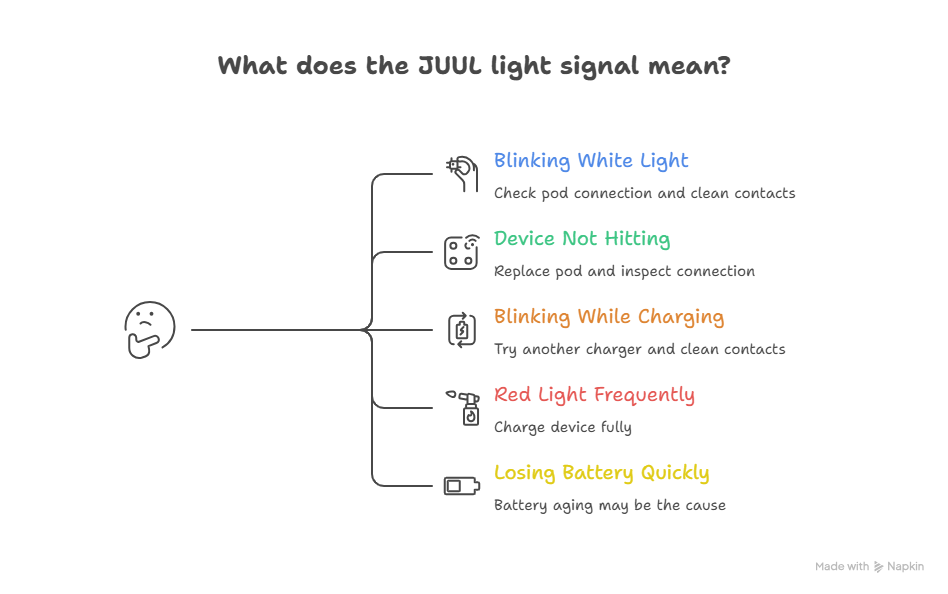
- Device blinking white light: Check pod connection and clean contacts.
- Device not hitting: Replace the pod and inspect the connection area.
- Device blinking while charging: Try another charger and clean the contacts.
- Red light appearing frequently: Charge the device fully.
- Device losing battery quickly: Battery aging may be the cause.
Following these steps solves most JUUL device issues.
Why Does My JUUL Pod Leak? 5 Common Mistakes Vape Users Make
How to Prevent JUUL Light Errors
Many LED warnings can be prevented with simple maintenance. Taking care of your device helps ensure consistent performance.
Clean the Device Regularly
- Condensation and small amounts of e-liquid can accumulate inside the device over time.
- Cleaning the contacts periodically prevents connection problems.
Store the Device in Moderate Temperatures
- Extreme heat and cold can affect battery performance.
- Avoid leaving the device in hot cars or freezing environments.
Use Authentic Pods
- Nonofficial pods may have inconsistent coil resistance or poor connections.
- Using authentic pods reduces the risk of connection errors and blinking lights.
Charge the Device Properly
- Avoid leaving the device connected to the charger for extremely long periods.
- Disconnect once the battery reaches full charge.
When Your JUUL Device May Be Defective
Although most LED issues are easy to fix, some cases indicate hardware failure.
- Your device may need replacement if:
- The lights blink continuously without explanation
- The device refuses to charge
- The device stops detecting pods entirely
- The battery drains within minutes
JUUL batteries are built into the device and cannot be replaced by users. If the battery fails, replacing the device is usually necessary.
JUUL Light Turns On but Device Feels Weak
Sometimes the light works normally, but the vapor output feels reduced.
Possible Reasons
- Low battery level
- Dirty airflow path
- Old or nearly empty pod
- Inconsistent charging habits
Improve Performance By
- Fully charging the device
- Cleaning pod and device contacts
- Replacing the pod if the flavor is faded
- Avoiding frequent short charging cycles
Light behavior combined with weak performance usually points to maintenance issues rather than device failure.
JUUL Light Not Turning On at All
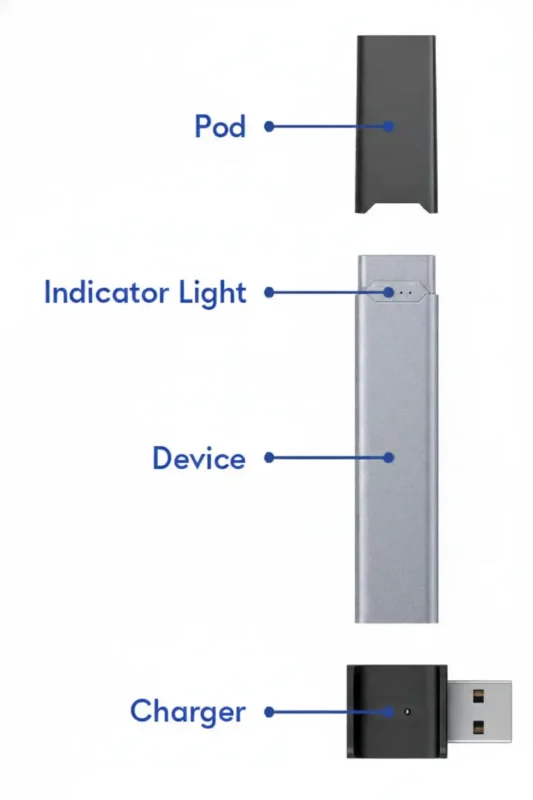
One of the most common issues users face is no light response when inhaling or charging.
Possible Reasons
- Battery fully drained
- Charging contacts blocked by dust or residue
- Faulty charging cable or power source
- Internal battery wear over time
What You Can Do
- Place the device on a charger connected to a wall outlet
- Wait at least ten minutes to see if the light appears
- Clean the bottom contacts gently using a dry tissue
- Try a different charging cable or adapter
Note: If the light does not appear after these steps, the internal battery may no longer hold a charge.
Step-by-Step Troubleshooting Guide
Step 1: Clean Device Contacts
- Wipe the contacts with a soft cloth or cotton swab
- Avoid liquids to prevent device damage
Step 2: Use Genuine Pods
- Ensure your pods are authentic and compatible with your device
- High-quality pods minimize error occurrences
Step 3: Check Battery and Charging
- Fully charge the device before troubleshooting
- Inspect charging cables and ports for debris or damage
Step 4: Replace Damaged Pods
- Pods showing leaks, burnt taste, or discoloration should be replaced immediately
Step 5: Reset the Device
- Remove the pod, wait a few seconds, and reinsert it
- Perform a full reset if errors persist
Frequently Asked Questions
What does a red JUUL light mean?
A red light typically indicates that the battery is low and needs charging.
What does a white JUUL light mean?
A white light usually appears when the device activates during a puff. This indicates normal device operation.
Why is my JUUL blinking but not hitting?
This often happens when the pod is not properly connected or the pod coil is defective. Removing and reinserting the pod usually resolves the issue.
Why does my JUUL blink while charging?
Blinking during charging may indicate a loose connection or dirty charging contacts.
Cleaning the contacts and trying a different charger often fixes the problem.
How do I know if my JUUL battery is dead?
If the device does not show any light even after charging, the battery may be permanently damaged.
Final Thoughts
JUUL devices rely on LED lights to communicate important information about battery level, charging status, and device performance.
Although blinking lights can seem confusing at first, most signals simply indicate normal device behavior or minor issues that are easy to fix.
Understanding the difference between white, green, yellow, and red lights helps you quickly identify what your device is trying to communicate.
With proper maintenance, careful charging habits, and regular cleaning, most JUUL light issues can be avoided.
If problems continue even after troubleshooting, the device battery or internal electronics may be worn out. In that case, replacing the device may be the best solution.