
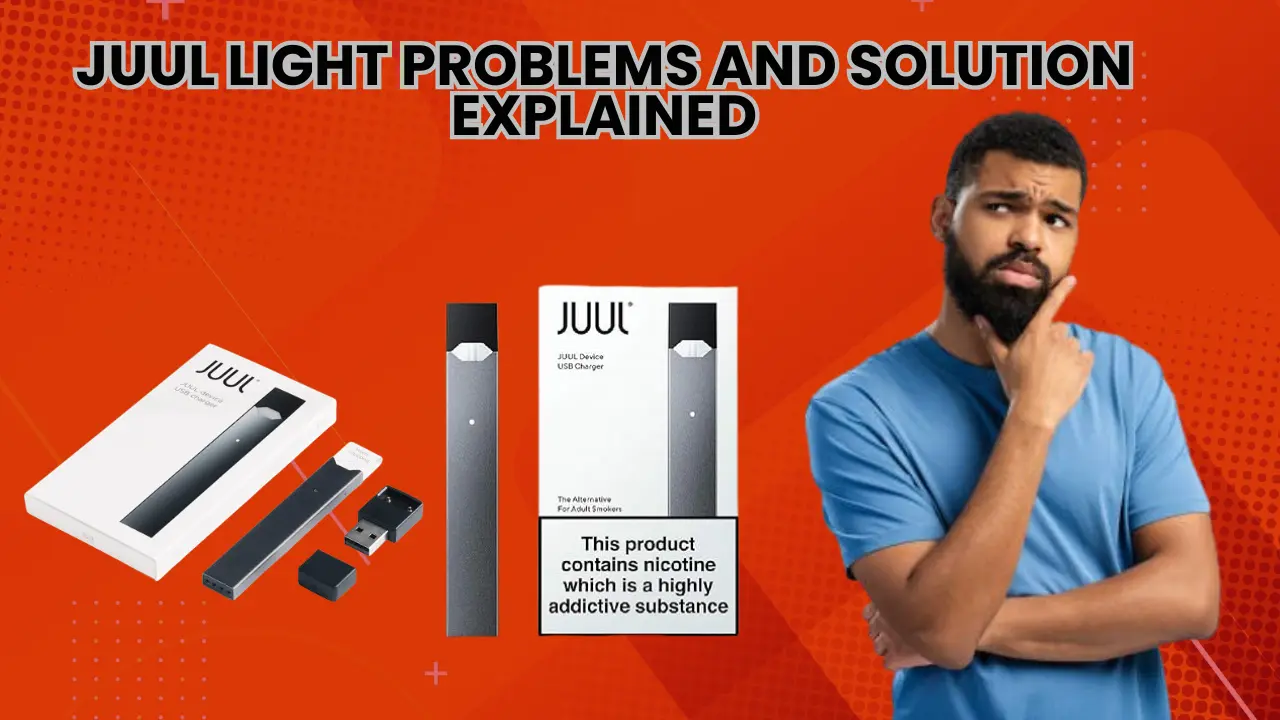
If your JUUL suddenly starts blinking, shows unusual colors or does not light up at all, it can feel confusing and frustrating. Many users assume the device is broken, but in most cases, the light is simply communicating a small issue that can be fixed at home. The LED light on a JUUL device acts as a status signal. It tells you about battery level, charging condition, pod connection and general device health.
This guide explains JUUL light problems with simple solutions. The solutions are based on common user experience and available official guidance. There are no technical tricks here. Just clear steps that help you understand what the light means and what to do next.
Why the JUUL Light Is Important
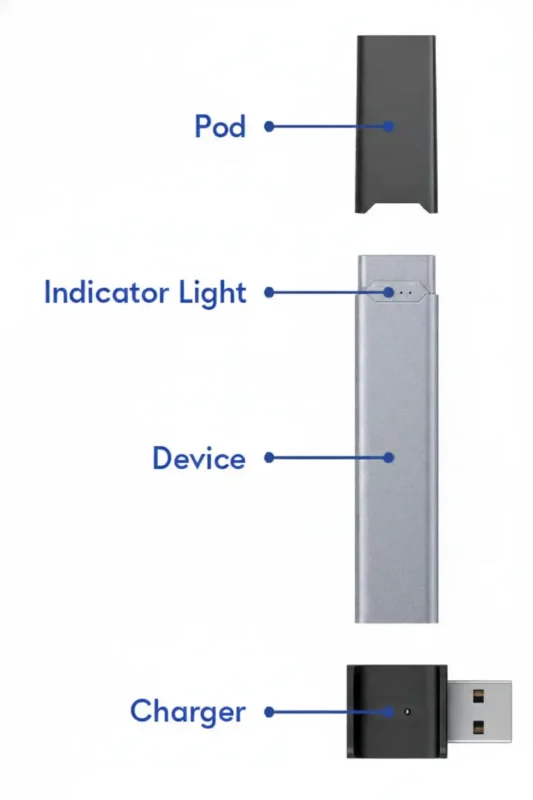
The LED light on a JUUL device is the only way the device communicates with you. Unlike larger vape devices, there is no screen or button menu. Every blink, pulse, or color change has a purpose.
Understanding the light helps you
- Avoid wasting pods when the issue is not pod-related
- Fix charging problems early
- Prevent sudden device failure
- Save time and frustration
Tips: Most light problems are caused by simple things like low battery, dirty contacts, or pod connection issues.
Common JUUL Light Behaviors You Should Know
Before fixing problems, it helps to know what normal looks like.
Normal Charging Light Behavior
When you place your JUUL on the charger, the light usually pulses or glows softly. This indicates the battery is charging. Once charging is complete, the light becomes solid and then turns off.
This is expected behavior and does not indicate a problem.
Battery Level Light Check
When you tap the device lightly, the light may glow briefly. Brighter or longer light usually means a higher battery level, while a dim or short light means it is time to recharge.
JUUL Light Not Turning On at All
One of the most common issues users face is no light response when inhaling or charging.
Possible Reasons
- Battery fully drained
- Charging contacts blocked by dust or residue
- Faulty charging cable or power source
- Internal battery wear over time
What You Can Do
- Place the device on a charger connected to a wall outlet
- Wait at least ten minutes to see if the light appears
- Clean the bottom contacts gently using a dry tissue
- Try a different charging cable or adapter
Note: If the light does not appear after these steps, the internal battery may no longer hold a charge.
JUUL Light Blinks When You Inhale but No Vapor Comes Out
This problem is often mistaken for a dead pod, but the light gives a clue.
Why This Happens
Pod not seated properly
- Pod contacts dirty
- The device cannot detect the pod
- Airflow sensor blocked
How to Fix It
- Remove the pod and wipe the metal contacts
- Reinsert the pod firmly until it sits flat
- Check for debris inside the pod slot
- Try another pod to rule out a faulty one
Most users fix this issue within minutes by simply reseating the pod.
How to Maximize Juice and Longevity from JUUL and JUUL 2 Pods in Dubai
JUUL Light Blinking During Charging
A blinking light while charging usually means the device is trying to charge but cannot maintain a stable connection.
Common Causes
- Charger not fully connected
- Dirty charging pins
- Power source too weak
- Cable damage
Simple Fix Steps
- Remove the device from the charger
- Clean both charging contacts gently
- Plug the charger directly into a wall socket
- Place the device back and watch the light
If the light continues blinking, try a different power source.
JUUL Light Showing Unusual Colors or Patterns
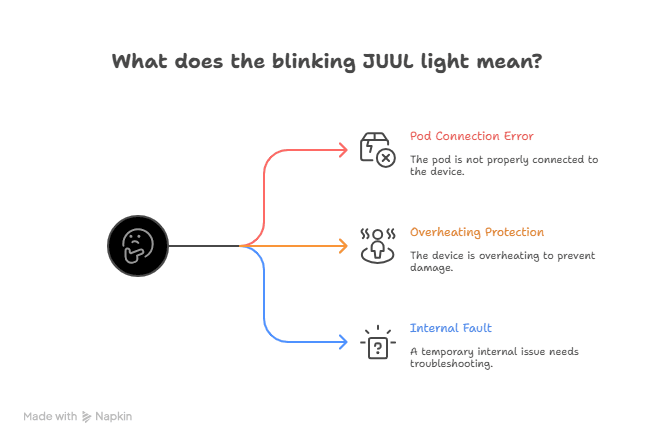
Some users report colors or blink patterns they do not recognize. While JUUL models may vary slightly, unusual patterns often signal a connection or system error.
What It Usually Means
- Pod connection error
- Device overheating protection
- Temporary internal fault
What You Should Do
- Remove the Juul 2 pod and let the device cool
- Clean all contact points
- Reinsert the pod carefully
- Place the device on the charger for a short reset
Note: If the pattern continues after cooling and cleaning, the device may be nearing the end of its lifespan.
JUUL Light Turns On but Device Feels Weak
Sometimes the light works normally, but the vapor output feels reduced.
Possible Reasons
- Low battery level
- Dirty airflow path
- Old or nearly empty pod
- Inconsistent charging habits
Improve Performance By
- Fully charging the device
- Cleaning pod and device contacts
- Replacing the pod if the flavor is faded
- Avoiding frequent short charging cycles
Light behavior combined with weak performance usually points to maintenance issues rather than device failure.
Step-by-Step JUUL Light Troubleshooting Checklist
Use this checklist before assuming the device is broken.
- Check if the light appears when charging
- Clean the pod and charger contacts
- Reinsert the pod firmly
- Try a different charger or outlet
- Let the device cool if it feels warm
- Test with a new pod
Tips: Most JUUL light problems are solved within these steps.
JUUL Light Signal Reference Table
| Light Behavior | What It Means | What to Do |
| No light at all | Battery drained or device issue | Charge and clean contacts |
| Blinking while vaping | Pod connection problem | Reseat or replace pod |
| Blinking during charging | Poor charging contact | Clean and adjust charger |
| Light on but weak vapor | Low power or airflow issue | Charge fully and clean |
| Unusual flashing pattern | Error or overheating | Cool down and reset |
How to Prevent JUUL Light Problems in Daily Use
Preventing light issues is easier than fixing them.
Clean Your Device Regularly
Dust, pocket lint, and residue build up over time. A quick weekly wipe keeps connections clear.
Charge Smartly
Avoid overnight charging
Use stable power sources
Let the battery drop before recharging
Store the Device Properly
- Keep away from moisture
- Avoid extreme heat
- Store upright when possible
These habits reduce strain on the battery and internal sensors.
When JUUL Light Problems Mean Replacement Is Needed
If the light never turns on, even with proper charging, or if unusual patterns continue despite cleaning and resetting, it may indicate internal battery wear.
Sign replacement may be needed
- The device does not charge at all
- Light behavior is inconsistent
- Performance drops suddenly
- The device heats abnormally
JUUL devices are sealed and not designed for repair. Continuing to use a failing device can waste pods and reduce satisfaction.
Frequently Asked Questions
Why does my JUUL light blink but not hit?
This usually means the device cannot detect the pod. Cleaning and reinserting the pod fixes this in most cases.
Is it safe to keep using a JUUL with blinking lights?
If the light indicates charging or pod detection issues, it is safe after fixing the cause. If the device overheats stop using it.
Can heat cause JUUL light problems?
Yes, high temperatures can trigger protection behavior or affect battery performance.
Does a blinking light mean my pod is bad?
Not always. Many light issues are device-related rather than pod-related.
Final Thoughts
JUUL light problems may look serious at first, but most are simple signals pointing to small fixable issues. The device relies entirely on its LED to communicate. Once you understand what the light is telling you, troubleshooting becomes easy and stress-free.
Regular cleaning, mindful charging, and proper storage prevent most problems before they start. If issues persist after following all steps, the device may be reaching the end of its usable life. In that case, replacing the device is often the most reliable solution.
Understanding your JUUL light behavior helps you enjoy a smoother experience, avoid wasted pods, and maintain consistent performance every day.